

Affinity Designer Review: Features, Pricing & Integrations 2026
Graphic designers and illustrators use this free tool to combine vector and pixel workflows. Though it lacks variable font support.
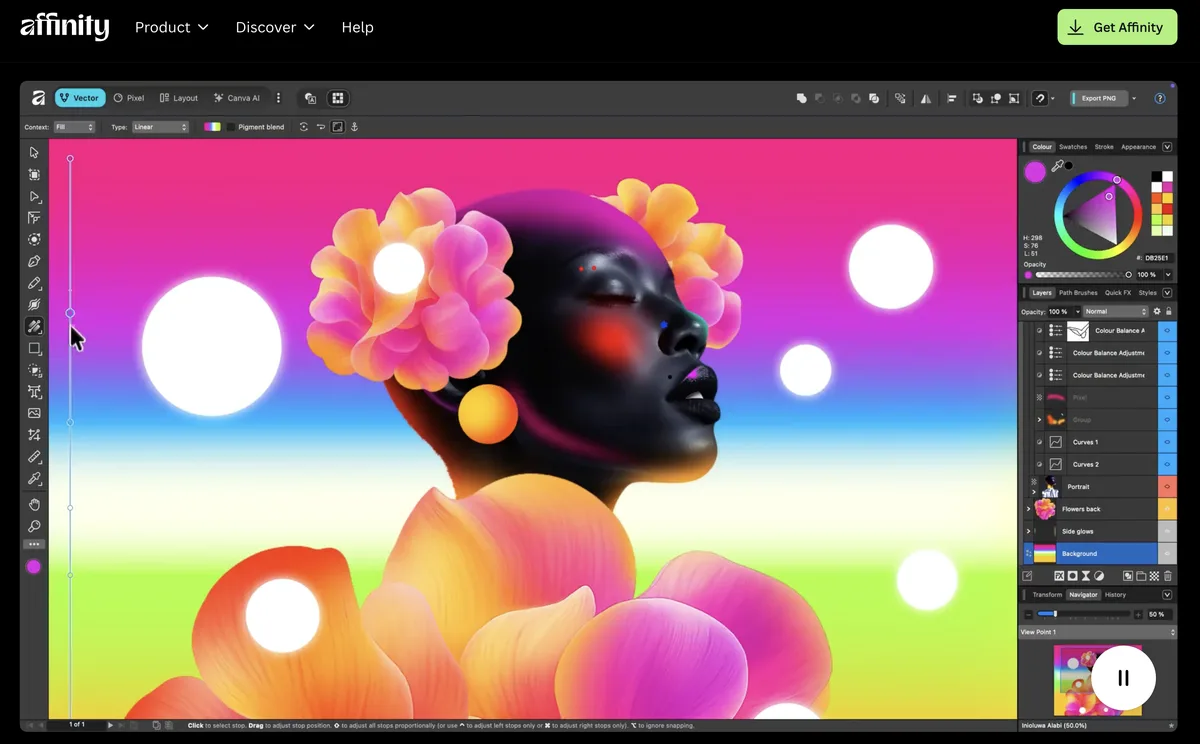
Expert Analysis of Affinity Designer
Affinity flipped the script: the former one-time challenger to Adobe is now completely free under Canva, with only its AI layer behind a paid Canva plan. The base vector and pixel app costs nothing.
 Oleh KemFounder & Lead Analyst
Import Illustrator Files, Keep All Layers
Affinity Designer's PSD/AI import preserves layer structure and effects intact, cutting file conversion from 4-6 hours per project to under 30 minutes.
Export All Icon Sizes in One Batch
One Affinity Designer file holds 16px, 24px, 32px, and 64px icon artboards. Batch export reduces handoff from 12 separate files to one organized master.
Affinity
FreeBest for: Professional vector and layout work without a subscription
- ✓Full professional design, photo, and layout toolset
- ✓Free forever, no subscription and no license fee
- ✓Successor to the paid one-time Affinity Designer licenses
Prices last verified July 16, 2026
Monitored Plans & Rates
Currently TrackingComparEdge is tracking Affinity Designer pricing. No price changes recorded. Plan structure changes detected: 3 plans added, 1 plan removed.
Plan Structure Changes
The Final Verdict: Is Affinity Designer Right for You?
A top-rated design tools tool with 27 features and a free plan - excellent for Freelancers & small design teams.
Top Pros
- Completely free; no subscription or one-time cost
- Unified vector, pixel, and layout tools in one app
- Full-featured iPad version for mobile workflows
Watch Out For
- No variable font support, limiting advanced typography
- Lacks advanced vector tracing (Image Trace equivalent)
Oleh KemFounder & Lead AnalystExpert verified·Updated July 16, 2026·Our methodologyFrequently Asked Questions About Affinity Designer
Explore More Design Tools Tools for 2026






Sources & verification
| Source | What was checked | Last checked |
|---|---|---|
| Official Website | Official vendor website | — |
| Official Pricing Page | Source of verified tiers | July 16, 2026 |
| G2 | G2 verified user reviews · 4.5/5 · 246 reviews | — |
| TrustRadius | TrustRadius verified reviews | — |
| PeerSpot | PeerSpot enterprise peer reviews | — |
| StackShare | StackShare developer community | — |
Every fact on this Affinity Designer pricing page is tied to a named source and a verification date. Freshness-sensitive figures trace to the sources above; verify against the vendor before relying on them.
Explore Affinity Designer
Every page on Affinity Designer in one place, you are on overview.