ComparEdge Copilot Chrome Extension
Know what a SaaS tool costs
before you commit.
ComparEdge Copilot reads the tool you are on and shows what the pricing page tends to bury: the real starting price, the annual discount, the costs that turn up later, and the alternatives worth a look.
No account, no sign-in. Works on 457 domains out of the box. Technical Docs
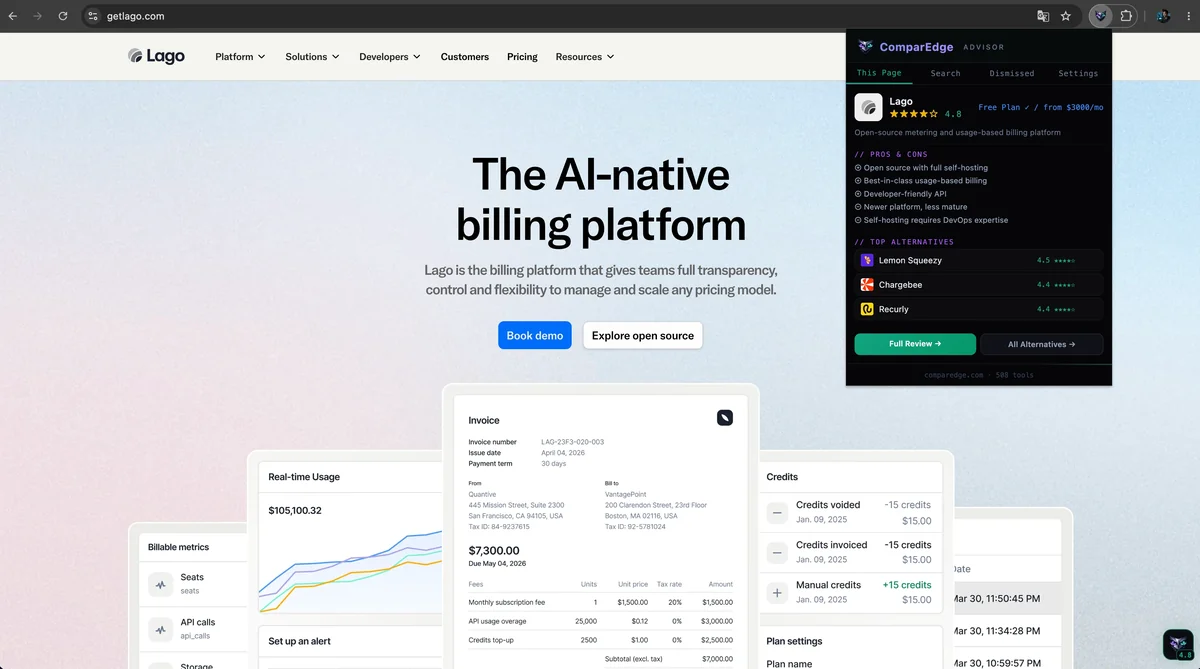
A Chrome extension that reads pricing.
Four tabs, one lightweight extension, all the context a pricing page leaves out.
The card appears.
You already know.
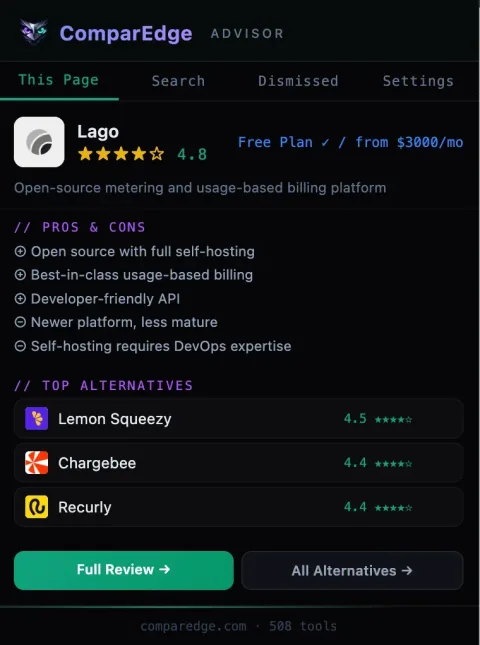
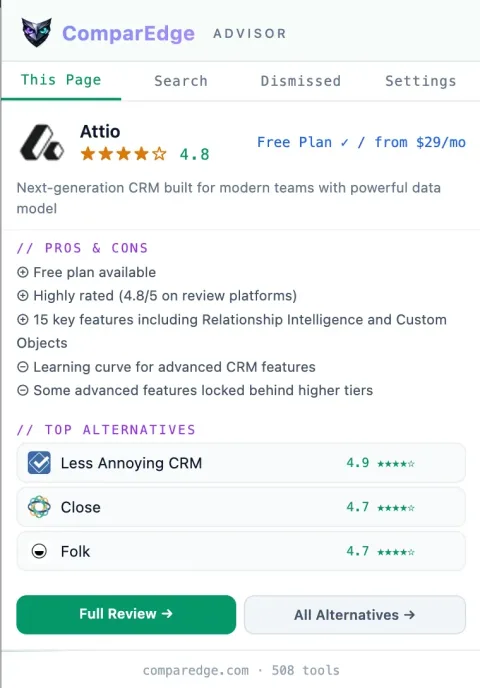
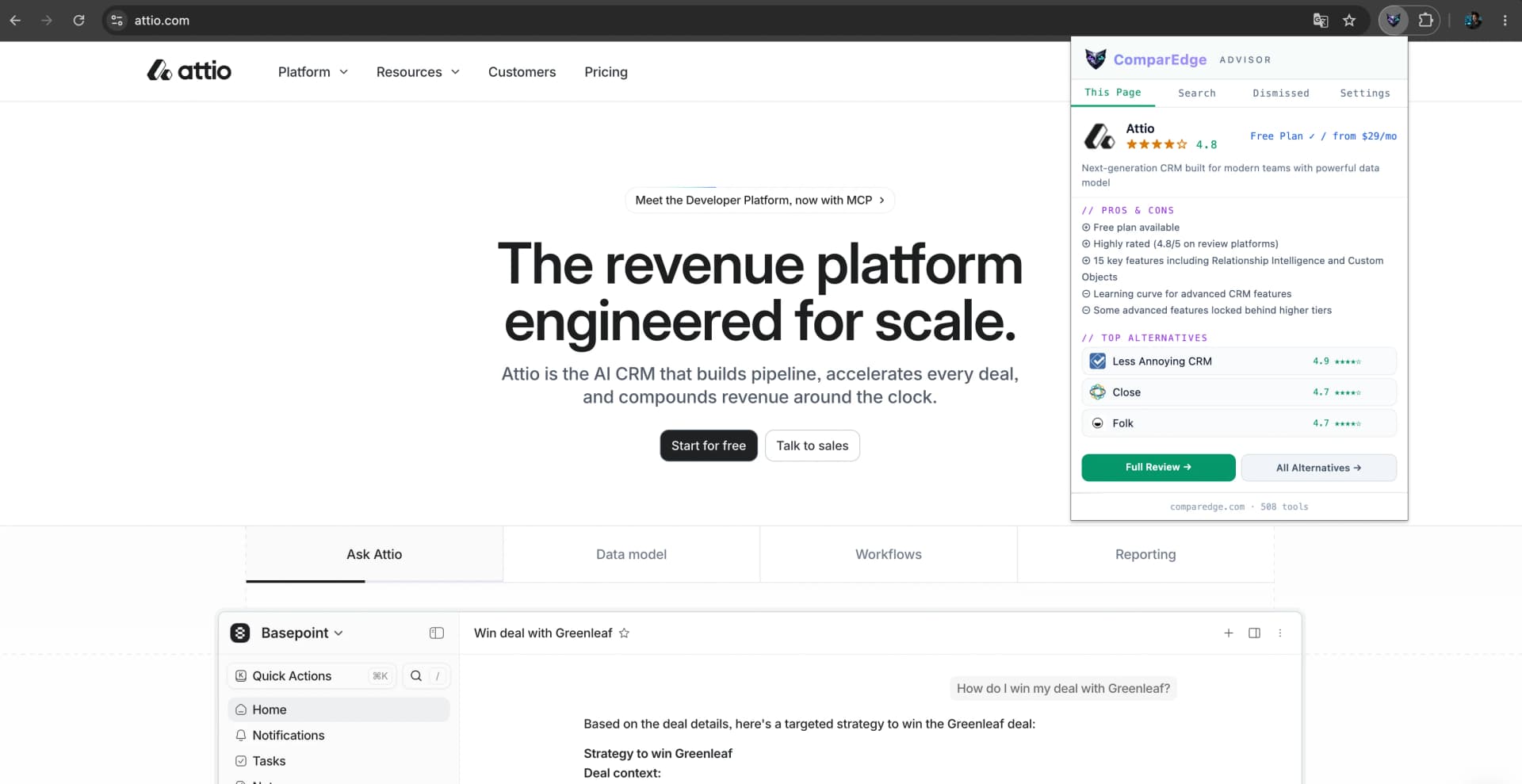
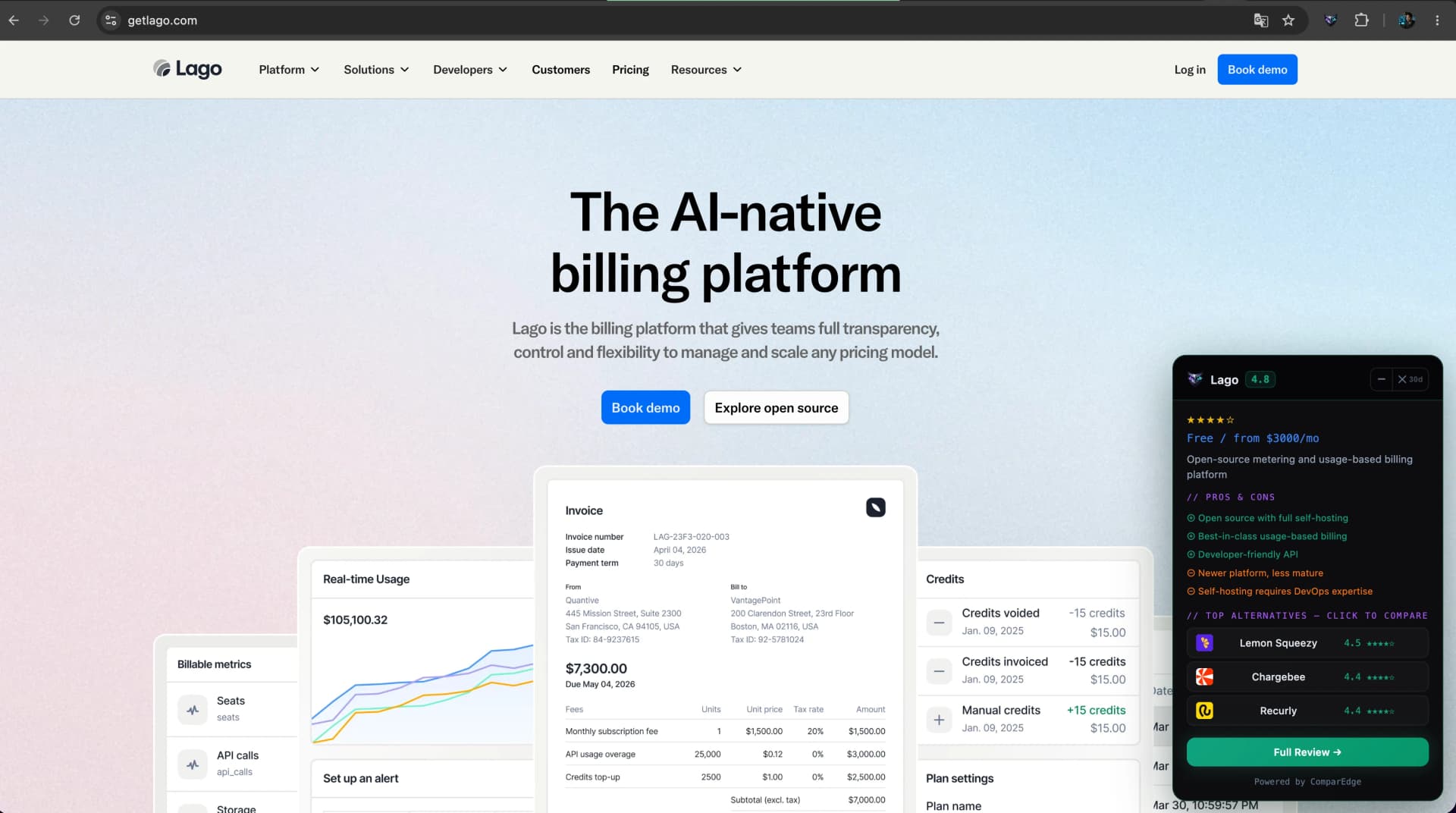
The moment you land on a recognized SaaS tool, a compact card surfaces in the corner: the ComparEdge rating, the starting price, the annual discount, one line on the costs vendors bury, and alternatives, all without opening anything.
Stays out of the way.
Until you need it.
The card stays out of your way. Click the badge to expand it, drag it anywhere on screen, or minimize it back to a badge. Tap an alternative and it opens right there in the card, so you can read across rivals without leaving the vendor page.
490+ tools.
One search box.
Not on a recognized page? Open the extension popup and search across the entire ComparEdge database instantly. Find any tool by name, category, or use-case in milliseconds, no page load, no API call.
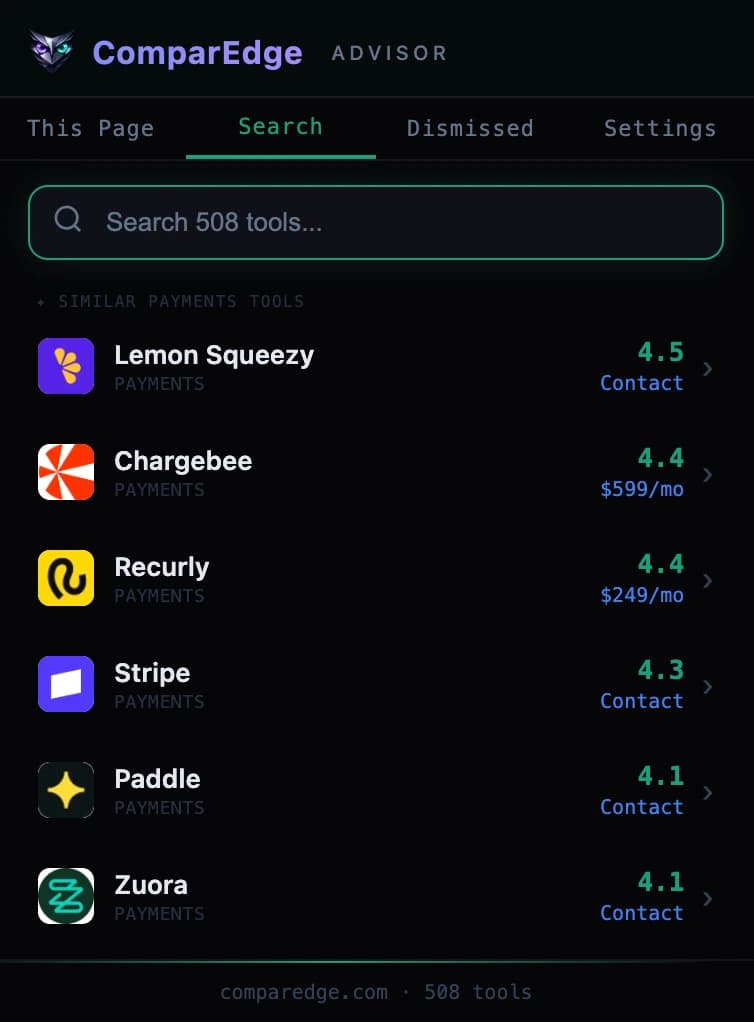
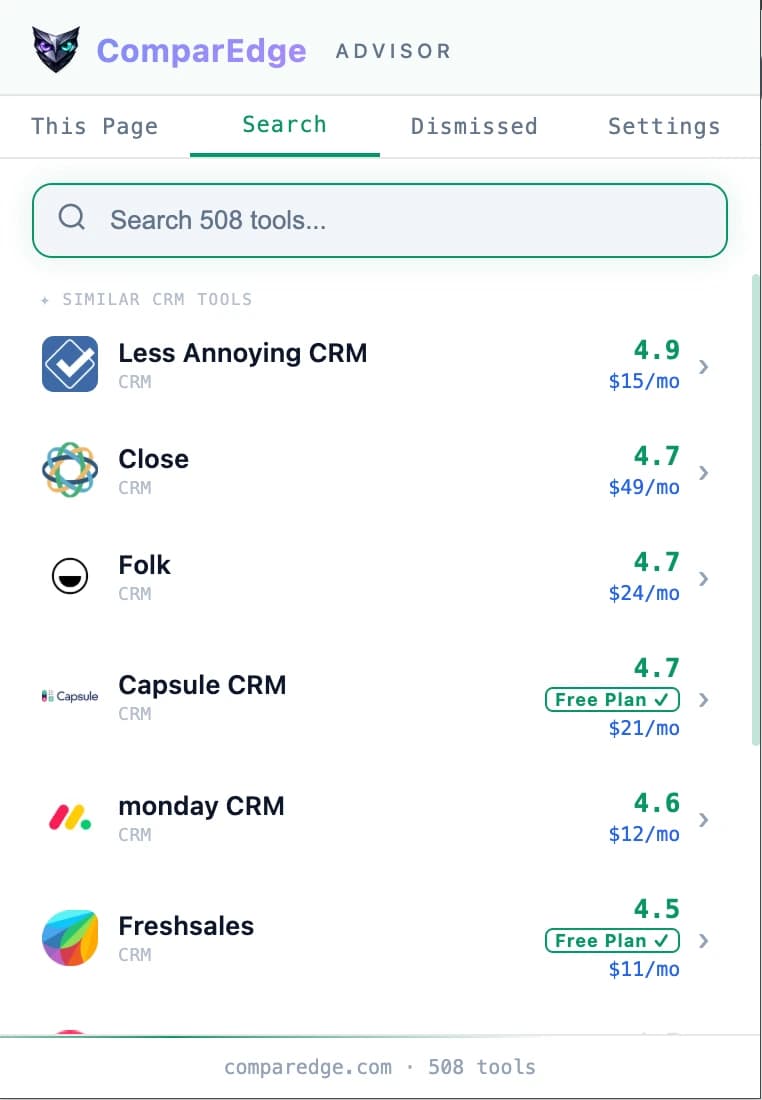

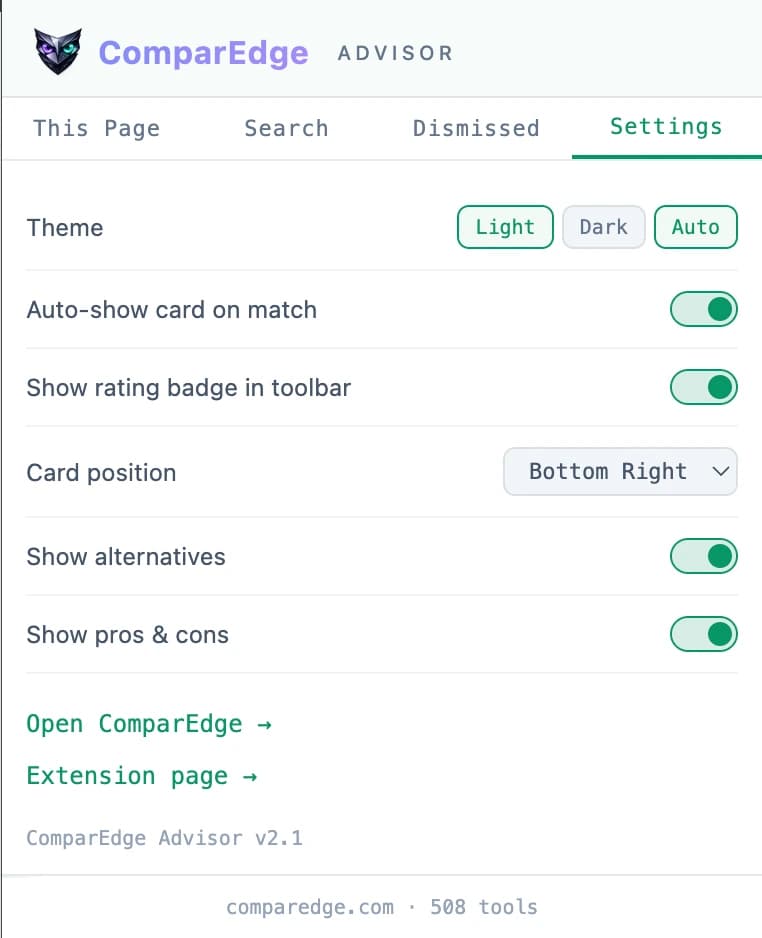
Dark. Light. Auto.
Your call.
Theme, auto-show, badge visibility, card position: every setting is yours to configure and saved locally. No account, no cloud sync of your preferences. Just a clean, fast experience tuned to how you work.
Built for people who do not trust random extensions.
We built Copilot to do one job and stay out of everything else. Here is exactly what it does and does not touch.
No analytics inside
The extension ships no analytics and never reports which sites you visit. When you follow a link to comparedge.com, that link is tagged so we can count the referral, the same as any link. No profile of you, no page content, no personal data.
Fully Bundled
All product profiles and logos are bundled inside the extension. No CDN calls, no remote assets, no third-party servers.
Shadow DOM Isolated
The card UI is rendered inside a closed Shadow DOM. Page JavaScript and external scripts cannot read or tamper with it.
No eval(). No Remote Code.
Manifest V3 compliance is strict. The extension CSP prohibits eval, inline scripts, and all remote code execution.
One background request
Once a day the extension fetches an updated product list from comparedge.com. That daily sync is the only call it makes on its own; everything else is you clicking a link.
Local-only Storage
Your dismissed products, settings, and card position are stored in chrome.storage.local: your browser, your machine, your data.
Simple by design. Powerful by default.
Install the extension
One click from the Chrome Web Store. No account, no email, no onboarding. The extension is live the moment it is installed.
Browse the web as normal
Visit any SaaS tool, AI product, or developer platform. The extension quietly checks each domain against its database of 490+ recognized tools.
The card appears
On a match, a compact floating card surfaces with the ComparEdge rating, the starting price, the annual discount, one line on hidden costs, and alternatives from the ComparEdge catalog.
Open or dismiss
Jump to the pricing page, tap an alternative to read it right in the card, or dismiss the card for 30 days. You are always in control.
Frequently Asked Questions
How does the extension work?
Which tools and categories are supported?
Does the extension track my browsing?
Is it free?
Where do the ratings and pricing come from?
How do I hide the card?
Does it work in other browsers?
Start browsing smarter.
Right now.
Free, no account. Works immediately on 457 SaaS domains.