

Notion Review: Features, Pricing & Integrations 2026
Best for teams wanting to centralize docs and tasks in one flexible tool. It ranges from free to $24/user/mo but has a steep learning curve.
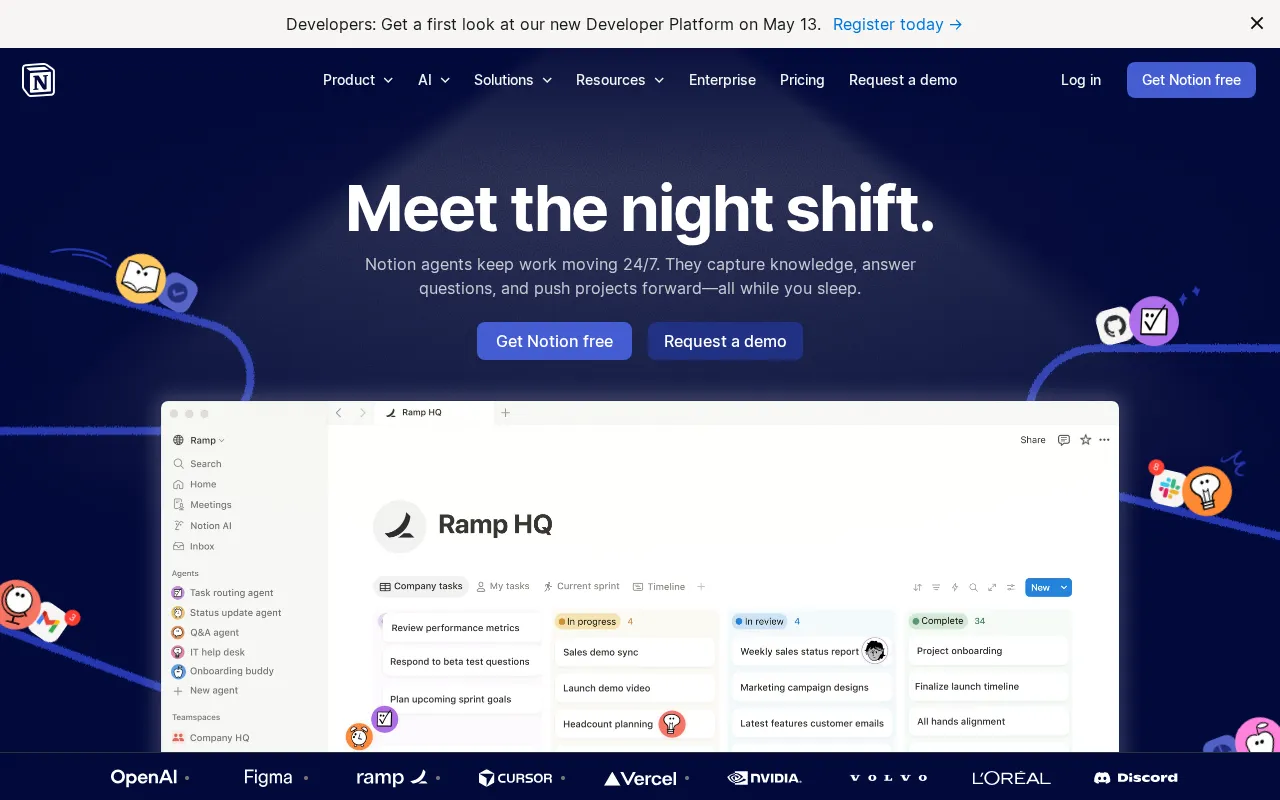
Expert Analysis of Notion
The free plan looks unlimited until a second editor arrives, then collaborative blocks throttle. Notion also meters its AI on a credit currency separate from the seat price. Powerful as a workspace, slow once databases grow heavy.
 Oleh KemFounder & Lead Analyst
Sprint Planning With Linked Docs
Embed acceptance criteria and design specs inside Kanban Board cards so engineers see full context without tab-switching during active sprints.
Build a Living Project Wiki
The Wiki feature centralizes runbooks, decision logs, and architectural patterns alongside active tasks - new hires onboard faster with context sitting next to the work.
Free
FreeBest for: Individuals to organize personal projects
- ✓Unlimited blocks for individuals
- ✓Basic forms
- ✓Notion Calendar
- ✓Trial Notion AI
- ✓Unlimited published pages
Showing 3 of 4 plans. See all plans & API pricing →
Prices last verified July 8, 2026
Monitored Plans & Rates
Currently TrackingComparEdge is tracking Notion pricing. No price changes recorded since monitoring began.
The Final Verdict: Is Notion Right for You?
Strong project management choice for Startups & knowledge-based teams - 4.8/5 rating, 32 features, free to start.
Top Pros
- Combines docs, wikis, and project tasks in one unified interface
- Highly customizable databases function like spreadsheets with superpowers
- Flexible block-based editor for creating any type of content layout
Watch Out For
- Steep learning curve due to its high degree of flexibility
- Mobile app can be slow and lacks full desktop functionality
Oleh KemFounder & Lead AnalystExpert verified·Updated July 8, 2026·Our methodologyFrequently Asked Questions About Notion
Explore More Project Management Tools for 2026






Sources & verification
| Source | What was checked | Last checked |
|---|---|---|
| Official Website | Official vendor website | — |
| Official Pricing Page | Source of verified tiers | July 8, 2026 |
| G2 | G2 verified user reviews · 4.7/5 · 11,845 reviews | — |
| Capterra | Capterra verified user reviews · 4.7/5 | — |
| TrustRadius | TrustRadius verified reviews | — |
| PeerSpot | PeerSpot enterprise peer reviews | — |
| StackShare | StackShare developer community | — |
Every fact on this Notion pricing page is tied to a named source and a verification date. Freshness-sensitive figures trace to the sources above; verify against the vendor before relying on them.
Explore Notion
Every page on Notion in one place, you are on overview.