
Best Zed Alternatives in 2026
Cline (free to $20/mo) undercuts Zed by offering deep AI agent capabilities without the mandatory subscription. Switch if you want to bring your own API keys.
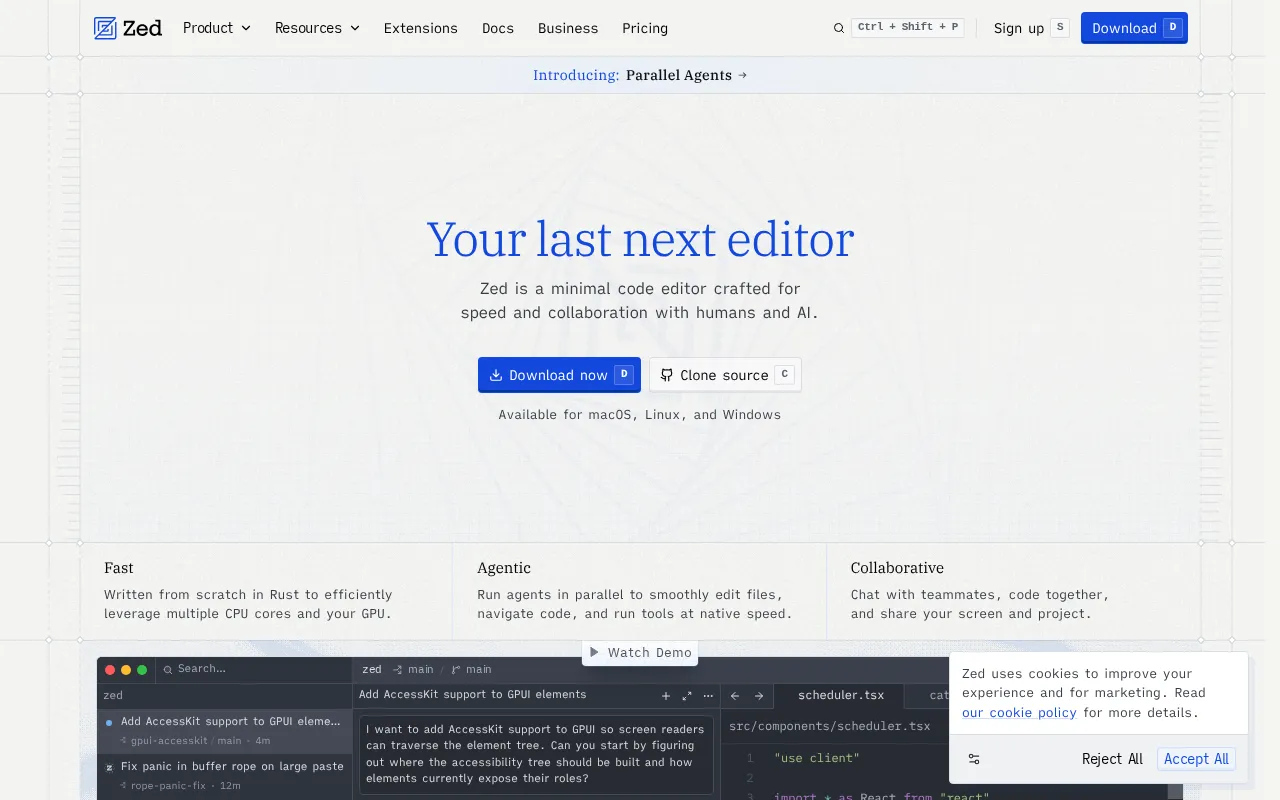
Feature Overview: Top Zed Alternatives
Zed compared against all 14 ai coding tools alternatives. Pricing, free plan availability, rating, and ai coding tools-specific capabilities.
| Tool | Price | Free Plan | Rating |
|---|---|---|---|
 | $10/mo | 4.7G2 | |
 | Free | 4.7G2 | |
 | $20/mo | 4.5G2 | |
 | $30/mo | 4.6G2 | |
 | $100/mo | No | 4.6G2 |
 | $10/mo | 4.5G2 | |
 | $20/mo | 4.6G2 | |
 | $25/mo | 4.6G2 | |
 | $30/mo | 4.5Capterra | |
 | $20/mo | 4.5G2 | |
 | $20/mo | 4.4G2 | |
 | $10/mo | 4.3Capterra | |
 | $19/mo | 4.2G2 | |
 | $39/mo | No | 4.1G2 |
 | Pay-as-you-go | - |
How Does Zed Compare to Alternatives?
Independently verified metrics. Sources: SWE-bench.com, HumanEval, vendor documentation. Verified 2026.
| Tool | SWE-bench% | HumanEval% | Autocompletems | Context Depthfiles |
|---|---|---|---|---|
| Aider | 18.9% | - | - | - |
| Cursor | 41.3% | 72.5% | 100 | 200 |
| GitHub Copilot | 26.7% | 67.3% | 120 | 30 |
| Codeium | - | 72% | 80 | 50 |
When Should You Stick with Zed?
Alternatives are not always the right move. Zed remains strong in these scenarios.
- +GPU-accelerated, Rust-native rendering that stays responsive at 120fps on large files
- +Real-time collaborative editing with shared terminals, closer to live pairing than screen-share
- +Built-in multi-model AI (Claude Opus 4.8, GPT-5.5, or local models via Ollama) with no extension
- +Bring-your-own-key path that keeps hosted markup off your bill entirely
- +Vim mode is a first-class citizen, not a bolted-on extension
- -No stable Windows build yet, which rules it out for mixed-OS teams
- -The extension and theme ecosystem is a fraction of the size of VS Code's
- -Debugging is thinner than what a mature IDE ships out of the box
- -Configuration lives in JSON files, so setup is less discoverable than a settings UI
Zed Alternatives for Developers
14 AI coding assistants compared. Developer experience, IDE integration, and codebase indexing quality vary widely.
Expert Take
Hosted models bill at the API list price plus ten percent, and Pro includes five dollars of credits before that starts. Business is the odd tier: $30 a seat buys policy and governance with no bundled credits at all, so model spend stays entirely yours.
 Oleh KemFounder & Lead Analyst
AI pair programmer in your terminal with Git integration. Has a free tier that Zed lacks.
- +Auto-commits every AI change with a descriptive message, keeping git history clean and revertable
- +Repository map gives strong whole-repo awareness before it touches a file
- +Bring-your-own-key across many backends: Claude Opus 4.8, GPT-5.5, DeepSeek V4, and more
- +Lives in the terminal and stays out of the way, no editor to adopt
- −It is terminal-only, so there is no GUI and the CLI workflow takes real getting used to
- −Bring-your-own-key billing means a heavy session can run up a surprising API bill
- −Resending a large repository map each turn inflates token usage, and the cost with it
An AI-native code editor that deeply understands your entire codebase to help you build, edit, and debug software faster. Zed edges it on ratings (4.8 vs 4.6/5).
- +Repo-wide context via '@' that actually tracks how files connect before it edits them
- +Multi-file agent edits from one instruction, with a diff you approve before it writes
- +Model choice on every request: Opus 4.8, Sonnet 5, GPT-5.5, Gemini 3.1 Pro, switched per task
- +A genuine VS Code fork, so your extensions, keymaps, and muscle memory carry over
- +Free Hobby tier with a two-week Pro trial that is enough to judge the fit before you pay
- +AI code generation
- +Codebase context
- −Pro's $20 is a credit pool, not a ceiling; run agents all day and overage bills in arrears at API rates
- −You are tied to a VS Code fork's release cycle, so your whole editor updates on someone else's schedule
- −Heavy agent runs can lag on older machines, and the app has stretches of crashes after updates
An open-source AI coding assistant that connects your IDE to any LLM, including self-hosted models.. Priced higher at $30/mo vs $10/mo.
- +Connect any LLM, Claude Opus 4.8, GPT-5.x, Gemini 3.1 Pro, or a local model via Ollama, through one config
- +Whole-workspace codebase context, so the assistant reasons over the whole project, not the open file
- +Custom slash commands let you turn reusable prompts into one-word shortcuts
- +Self-host the entire thing for maximum privacy, with code never leaving your infrastructure
- +Full IDE support across both VS Code and JetBrains, not just one editor
- +Autocomplete
- −You configure the LLM provider and manage API keys yourself, so there is no out-of-the-box experience
- −Quality is only as good as the model you plug in, so a weak local model means weak completions
- −The UI is less polished and integrated than first-party tools like Copilot or Cursor
Enterprise AI coding assistant with deep codebase understanding. Priced higher at $100/mo vs $10/mo.
- +Best deep codebase understanding
- +Excellent for large enterprise codebases
- +Strong privacy and security controls
- +Works with both VS Code and JetBrains
- +Deep Codebase Indexing
- +Code Completion
- −More expensive than GitHub Copilot
- −Overkill for small projects
AI pair programmer by GitHub and OpenAI that suggests code completions and entire functions in your IDE.. Zed edges it on ratings (4.8 vs 4.6/5).
- +Runs inside VS Code, JetBrains, Visual Studio, and Neovim, so it fits almost any editor
- +Model choice now spans Claude Opus 4.8, GPT-5.5, and Gemini 3.1 Pro for chat and agents
- +Tight GitHub integration: PR summaries, test generation, and code explanations in the flow
- +Cheap $10/mo Pro entry, one of the lowest in the category
- +Fast, reliable inline completions across 50-plus languages
- +Code completion
- +Chat in IDE
- −Loses the wider-codebase thread on complex multi-file work, where a repo-aware agent holds context better
- −Chat and agent actions draw down a monthly credit wallet, so heavy use can bill well past the flat rate
- −The jump from $10 Pro to $39 Pro+ is steep for what many teams find a modest feature gain
An AI toolkit that accelerates coding with intelligent autocomplete, in-editor chat, and broad IDE/language support.. Priced higher at $20/mo vs $10/mo.
- +Free tier gives you unlimited Tab completions and inline edits, not a countdown trial
- +70-plus languages and 40-plus IDEs, which is the widest editor coverage in the category
- +Pro routes to current frontier models, Claude Opus 4.8, Sonnet 5, GPT-5.x, and Gemini 3.1 Pro, so you pick per task
- +Whole-codebase context, so completions reference your actual functions and patterns rather than guessing
- +Self-hosted deployment with zero-retention guarantees for security-bound enterprise teams
- +AI autocomplete
- +Chat assistant
- −The Cascade agent has a habit of producing over-complex code that paying users say they have to strip back down
- −Support is slow and hard to reach, so when a glitch hits you are often waiting
- −The Free tier can use your code to improve the models, which is a real IP concern for some teams
An AI that builds, runs, and deploys full-stack web applications from a single natural language prompt in your browser.. Priced higher at $25/mo vs $10/mo.
- +One prompt produces a working full-stack app, frontend, backend, and database, not just a snippet
- +Generation runs on current frontier models, mainly Claude Sonnet 5 and Opus 4.8, so first drafts hold up
- +Live preview and code editing in the browser, with a real file explorer, terminal, and package manager
- +One-click deploy to Netlify, so the gap from prompt to live URL is minutes
- +Free tier is a real plan with 1M monthly tokens, enough to build and test several small apps
- +Full-stack app generation
- +Deploy from prompt
- −Debugging loops overwrite working queries and break earlier features, so fixing one bug can create two
- −Token consumption is opaque, and a repetitive debugging session drains the monthly allotment fast
- −No published per-token overage rate, so the only fix for running dry is upgrading the whole tier
An AI-powered UI generator that creates React components from text prompts using shadcn/ui and Tailwind CSS.. Zed edges it on ratings (4.8 vs 4.6/5).
- +Clean, production-ready React output built on shadcn/ui and Tailwind, structured for copy-paste
- +Fast iterative refinement loop, so shaping a component through follow-up prompts is genuinely quick
- +Its own v0 model tiers, Mini through Max Fast, front current frontier models so you can trade cost against quality
- +Tight Vercel integration, so a generated UI deploys to production infrastructure instantly
- +Accessibility, responsive layout, and dark mode handled by default rather than as an afterthought
- −Locked to React, Tailwind, and shadcn/ui, so Vue, Svelte, and Angular teams cannot use it at all
- −Long iterative sessions get buggy, with reports of lost message history and degraded output
- −Struggles with genuinely complex or novel UI patterns, where the generated code needs real cleanup
Showing 8 of 14 alternatives
Find Your Match - By Use Case
Local or on-premise deployment for sensitive codebases
Common Questions About Switching from Zed
Sources & verification
| Source | What was checked | Last checked |
|---|---|---|
| Official Website | Official vendor website | — |
| Official Pricing Page | Source of verified tiers | July 8, 2026 |
| G2 | G2 verified user reviews · 4.7/5 · 11 reviews | — |
| Capterra | Capterra verified user reviews | — |
| PeerSpot | PeerSpot enterprise peer reviews | — |
Every fact on this Zed pricing page is tied to a named source and a verification date. Freshness-sensitive figures trace to the sources above; verify against the vendor before relying on them.