

Aider Review: Features, Pricing & Integrations 2026
Command-line developers use this free tool to auto-commit code changes via terminal. Though the CLI-only setup isn't for everyone.
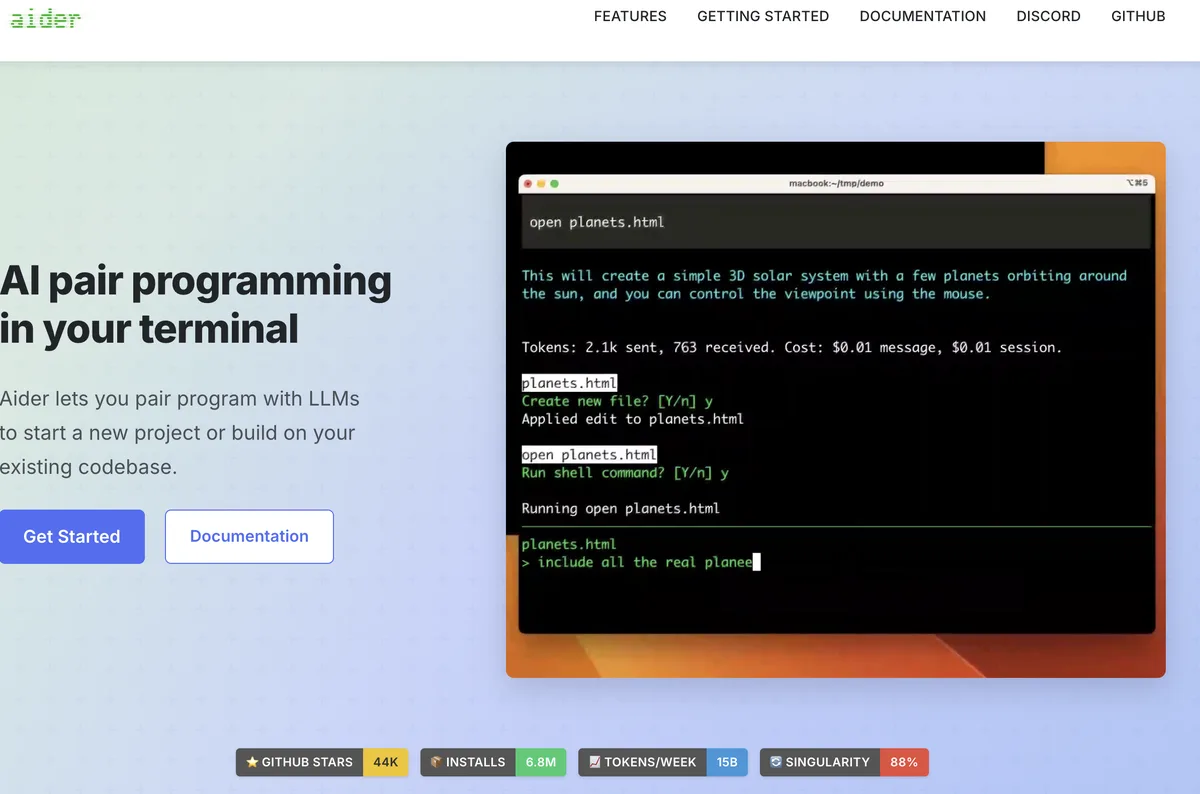
Expert Analysis of Aider
Aider publishes no prices because it sells nothing: no hosted version, no paid tier and no pricing page. That absence is why nothing on this page scores higher, and it is also the entire cost model. What you spend is what your API key spends.
 Oleh KemFounder & Lead Analyst
Every AI Change Lands as Its Own Git Commit
Aider auto-commits each AI edit with a descriptive message, so the diff history stays clean and you can git revert any single AI change without unpicking the rest.
Whole-Repo Context for Cross-File Refactoring
Aider's repository map indexes each file's symbols and their relationships, so it can track which functions reference a renamed method across dozens of files at once.
Voice-Driven Coding From the Terminal
Aider's voice mode transcribes spoken instructions into code edits, so you can dictate changes hands-free while reading documentation on the other screen.
Open Source
Open SourceBest for: Individual developers
- ✓Command-line chat interface for local git repositories
- ✓Bring your own API key (OpenAI, Anthropic, DeepSeek, Ollama, etc.)
- ✓Support for multi-file editing and complex refactoring
- ✓Automatic git commits with AI-generated messages
- ✓Repository map generation to provide codebase context to LLMs
Prices last verified July 8, 2026
Monitored Plans & Rates
Currently TrackingComparEdge is tracking Aider pricing. No price changes recorded since monitoring began.
The Final Verdict: Is Aider Right for You?
One of the most capable ai coding platforms available for free, trusted by CLI developers wanting AI pair programming in git.
Top Pros
- Auto-commits every AI change with a descriptive message, keeping git history clean and revertable
- Repository map gives strong whole-repo awareness before it touches a file
- Bring-your-own-key across many backends: Claude Opus 4.8, GPT-5.5, DeepSeek V4, and more
Watch Out For
- It is terminal-only, so there is no GUI and the CLI workflow takes real getting used to
- Bring-your-own-key billing means a heavy session can run up a surprising API bill
Developer Integrations
Oleh KemFounder & Lead AnalystExpert verified·Updated July 8, 2026·Our methodologyFrequently Asked Questions About Aider
Explore More AI Coding Tools Tools for 2026






Sources & verification
| Source | What was checked | Last checked |
|---|---|---|
| Official Website | Official vendor website | — |
| G2 | G2 verified user reviews · 4.7/5 · 17 reviews | — |
| Capterra | Capterra verified user reviews | — |
Every fact on this Aider pricing page is tied to a named source and a verification date. Freshness-sensitive figures trace to the sources above; verify against the vendor before relying on them.
Explore Aider
Every page on Aider in one place, you are on overview.