

Shortcut Review: Features, Pricing & Integrations 2026
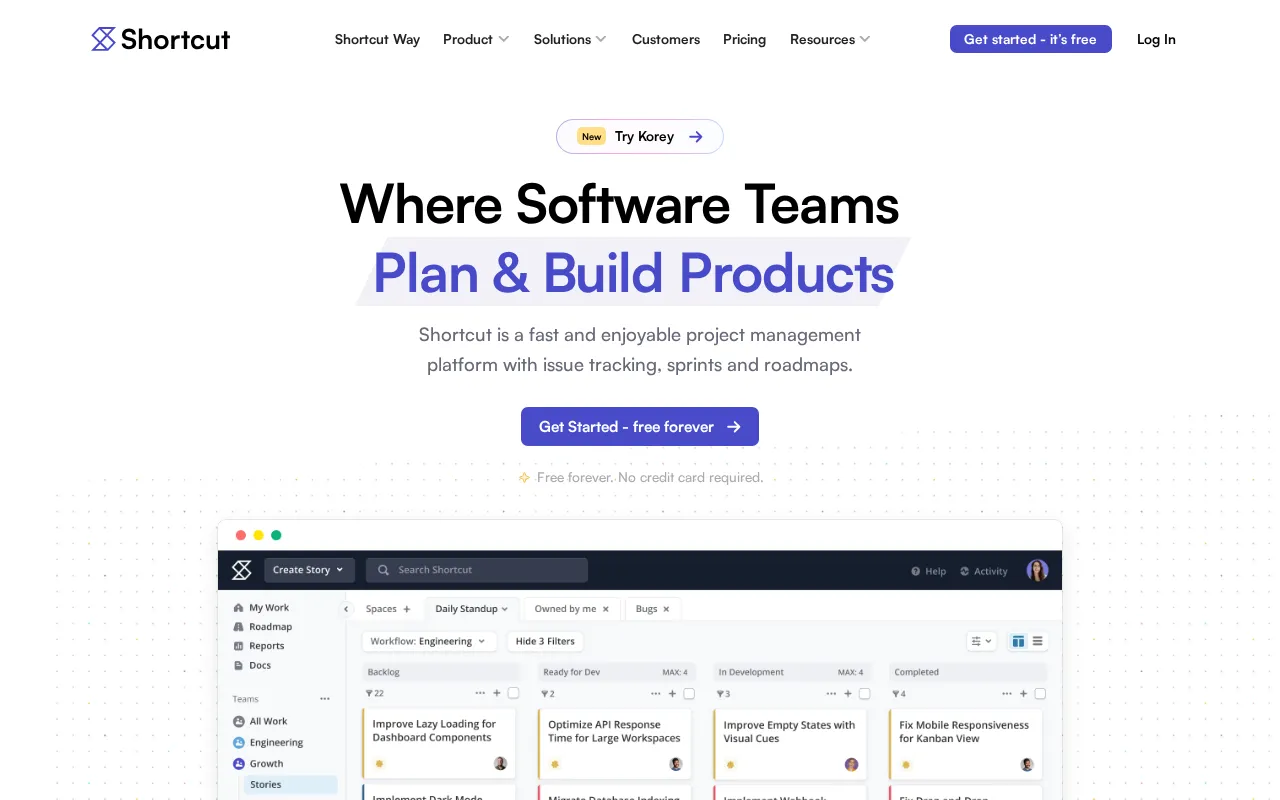
This developer-focused tool is free for up to 10 users and tops out at $16/mo, offering tighter Git integration than Trello.
Expert Analysis of Shortcut
Dev and QA teams are the audience: Shortcut tracks work from sub-task to milestone with tight Git integration. The free plan runs up to 10 active users and carries the core integrations, GitHub, Slack and Figma; the full set opens at Team.
 Oleh KemFounder & Lead Analyst
Auto-Close Stories via Git Commits
code repository or GitLab integration updates Story status when pull requests merge, cutting manual ticket updates from 30 minutes of standup time to near zero per iteration.
Iteration Capacity Across Engineering Squads
Iterations with Labels surface per-domain capacity three sprints out, catching overcommitment before a squad locks in at 95% utilization and derails the sprint.
Roadmap Milestones Into Sprint Stories
Quarterly Roadmapping items break into Stories & Epics that feed Iterations; each shipped story advances the roadmap automatically, keeping stakeholders current without manual.
Free Plan
FreeBest for: Teams getting started
- ✓Plan work with Kanban views
- ✓See progress on a Roadmap
- ✓Get quick insights with Reports
- ✓Plan sprints using Iterations
- ✓Work together with Docs
Team Plan
$10/user/moBest for: Small teams
- ✓Everything in Free
- ✓See progress on a Roadmap
- ✓Customize multiple Workflows
- ✓Organize work by cross-functional teams
- ✓Run multiple Iterations for Sprint planning
Business Plan
$16/user/moBest for: Fast-growing teams
- ✓Everything in Team
- ✓Organize complex projects with Objectives
- ✓Easily track plans with an expanded Roadmap
- ✓Get detailed insights with advanced reports
- ✓Use Teams to organize work and process as you scale (unlimited)
Showing 3 of 4 plans. See all plans & API pricing →
Prices last verified July 8, 2026
Monitored Plans & Rates
Currently TrackingComparEdge is tracking Shortcut pricing. No price changes recorded since monitoring began.
The Final Verdict: Is Shortcut Right for You?
Consistently rated project management software built for Agile software teams of 10-200 who need focused workflows.
Top Pros
- Deep, native integrations with GitHub, GitLab, and Bitbucket
- Generous free plan for up to 10 users with core features
- Excellent Markdown support and keyboard shortcuts for power users
Watch Out For
- Steeper learning curve compared to simpler tools like Trello
- Limited built-in time tracking and reporting capabilities
Oleh KemFounder & Lead AnalystExpert verified·Updated July 8, 2026·Our methodologyFrequently Asked Questions About Shortcut
Explore More Project Management Tools for 2026





Sources & verification
| Source | What was checked | Last checked |
|---|---|---|
| Official Website | Official vendor website | — |
| Official Pricing Page | Source of verified tiers | July 8, 2026 |
| Capterra | Capterra verified user reviews · 4.5/5 | — |
| TrustRadius | TrustRadius verified reviews | — |
| PeerSpot | PeerSpot enterprise peer reviews | — |
Every fact on this Shortcut pricing page is tied to a named source and a verification date. Freshness-sensitive figures trace to the sources above; verify against the vendor before relying on them.
Explore Shortcut
Every page on Shortcut in one place, you are on overview.