
Best Amazon Q Developer Alternatives in 2026
Cline (free to $20/mo) and Aider (free) offer deeper terminal integration than Amazon. Switch when you need an agent that can run tests and edit local files directly.
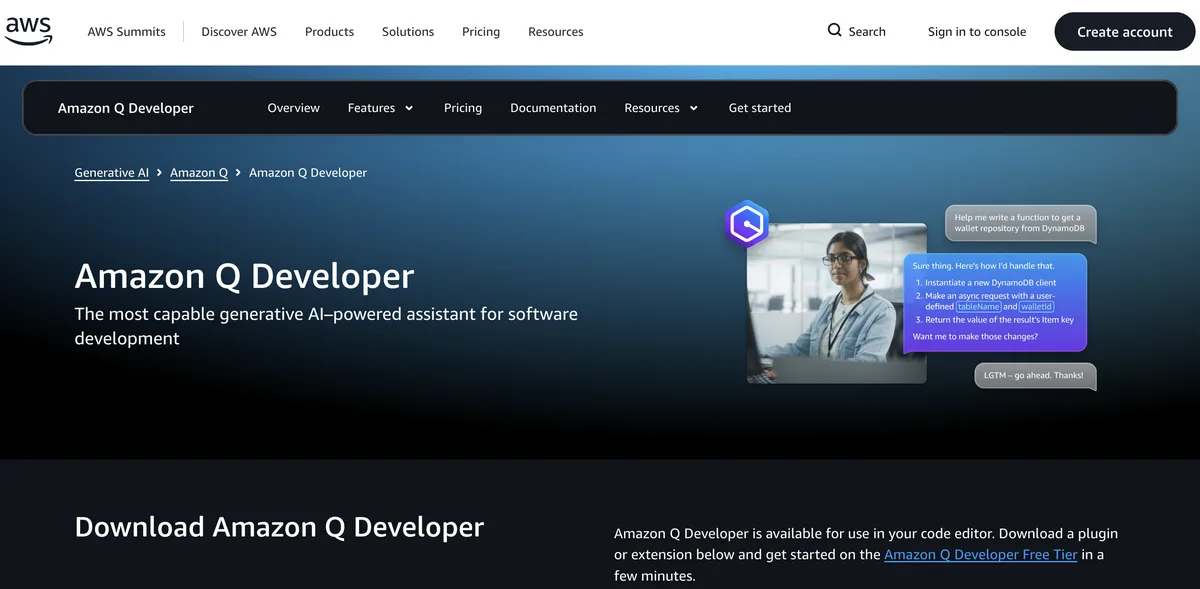
Feature Overview: Top Amazon Q Developer Alternatives
Amazon Q Developer compared against all 14 ai coding tools alternatives. Pricing, free plan availability, rating, and ai coding tools-specific capabilities.
| Tool | Price | Free Plan | Rating |
|---|---|---|---|
 | $19/mo | 4.2G2 | |
 | Free | 4.7G2 | |
 | $10/mo | 4.7G2 | |
 | $20/mo | 4.5G2 | |
 | $30/mo | 4.6G2 | |
 | $100/mo | No | 4.6G2 |
 | $10/mo | 4.5G2 | |
 | $20/mo | 4.6G2 | |
 | $25/mo | 4.6G2 | |
 | $30/mo | 4.5Capterra | |
 | $20/mo | 4.5G2 | |
 | $20/mo | 4.4G2 | |
 | $10/mo | 4.3Capterra | |
 | $39/mo | No | 4.1G2 |
 | Pay-as-you-go | - |
How Does Amazon Q Developer Compare to Alternatives?
Independently verified metrics. Sources: SWE-bench.com, HumanEval, vendor documentation. Verified 2026.
| Tool | SWE-bench% | HumanEval% | Autocompletems | Context Depthfiles |
|---|---|---|---|---|
| Aider | 18.9% | - | - | - |
| Cursor | 41.3% | 72.5% | 100 | 200 |
| GitHub Copilot | 26.7% | 67.3% | 120 | 30 |
| Codeium | - | 72% | 80 | 50 |
When Should You Stick with Amazon Q Developer?
Alternatives are not always the right move. Amazon Q Developer remains strong in these scenarios.
- +Best AWS-specific code generation for CDK, CloudFormation, and IAM policies
- +Automated Java version upgrade transformation handles tedious migration work
- +Free tier with unlimited completions is more generous than GitHub Copilot
- -Deeper IDE integration is necessary for Amazon Q Developer because it could be even more useful with better real-time integration
- -One most important improvement would be having deeper domain-specific intelligence for Amazon Q.
- -There is only one problem or issue we can discuss.
- -While using Amazon Q, I faced some challenges, such as navigating the interface initially.
Amazon Q Developer Alternatives for Developers
14 AI coding assistants compared. Developer experience, IDE integration, and codebase indexing quality vary widely.
Expert Take
The unit of account is a line of code: transformation runs a thousand lines free and four thousand on Pro, then charges three tenths of a cent for every line past that. The Pro quota pools at the account level rather than per user, which favours a team.
 Oleh KemFounder & Lead Analyst
AI pair programmer in your terminal with Git integration. Rated 4.8/5 vs 4.3/5 for Amazon Q Developer.
- +Auto-commits every AI change with a descriptive message, keeping git history clean and revertable
- +Repository map gives strong whole-repo awareness before it touches a file
- +Bring-your-own-key across many backends: Claude Opus 4.8, GPT-5.5, DeepSeek V4, and more
- +Lives in the terminal and stays out of the way, no editor to adopt
- −It is terminal-only, so there is no GUI and the CLI workflow takes real getting used to
- −Bring-your-own-key billing means a heavy session can run up a surprising API bill
- −Resending a large repository map each turn inflates token usage, and the cost with it
A high-performance, multiplayer code editor written in Rust, with integrated AI for accelerated software development.. Rated 4.8/5 vs 4.3/5 for Amazon Q Developer.
- +GPU-accelerated, Rust-native rendering that stays responsive at 120fps on large files
- +Real-time collaborative editing with shared terminals, closer to live pairing than screen-share
- +Built-in multi-model AI (Claude Opus 4.8, GPT-5.5, or local models via Ollama) with no extension
- +Bring-your-own-key path that keeps hosted markup off your bill entirely
- −No stable Windows build yet, which rules it out for mixed-OS teams
- −The extension and theme ecosystem is a fraction of the size of VS Code's
- −Debugging is thinner than what a mature IDE ships out of the box
An AI-native code editor that deeply understands your entire codebase to help you build, edit, and debug software faster. Rated 4.6/5 vs 4.3/5 for Amazon Q Developer.
- +Repo-wide context via '@' that actually tracks how files connect before it edits them
- +Multi-file agent edits from one instruction, with a diff you approve before it writes
- +Model choice on every request: Opus 4.8, Sonnet 5, GPT-5.5, Gemini 3.1 Pro, switched per task
- +A genuine VS Code fork, so your extensions, keymaps, and muscle memory carry over
- +Free Hobby tier with a two-week Pro trial that is enough to judge the fit before you pay
- +AI code generation
- +Codebase context
- −Pro's $20 is a credit pool, not a ceiling; run agents all day and overage bills in arrears at API rates
- −You are tied to a VS Code fork's release cycle, so your whole editor updates on someone else's schedule
- −Heavy agent runs can lag on older machines, and the app has stretches of crashes after updates
An open-source AI coding assistant that connects your IDE to any LLM, including self-hosted models.. Rated 4.7/5 vs 4.3/5 for Amazon Q Developer.
- +Connect any LLM, Claude Opus 4.8, GPT-5.x, Gemini 3.1 Pro, or a local model via Ollama, through one config
- +Whole-workspace codebase context, so the assistant reasons over the whole project, not the open file
- +Custom slash commands let you turn reusable prompts into one-word shortcuts
- +Self-host the entire thing for maximum privacy, with code never leaving your infrastructure
- +Full IDE support across both VS Code and JetBrains, not just one editor
- +Autocomplete
- −You configure the LLM provider and manage API keys yourself, so there is no out-of-the-box experience
- −Quality is only as good as the model you plug in, so a weak local model means weak completions
- −The UI is less polished and integrated than first-party tools like Copilot or Cursor
Enterprise AI coding assistant with deep codebase understanding. Rated 4.7/5 vs 4.3/5 for Amazon Q Developer.
- +Best deep codebase understanding
- +Excellent for large enterprise codebases
- +Strong privacy and security controls
- +Works with both VS Code and JetBrains
- +Deep Codebase Indexing
- +AI Chat
- −More expensive than GitHub Copilot
- −Overkill for small projects
AI pair programmer by GitHub and OpenAI that suggests code completions and entire functions in your IDE.. Rated 4.6/5 vs 4.3/5 for Amazon Q Developer.
- +Runs inside VS Code, JetBrains, Visual Studio, and Neovim, so it fits almost any editor
- +Model choice now spans Claude Opus 4.8, GPT-5.5, and Gemini 3.1 Pro for chat and agents
- +Tight GitHub integration: PR summaries, test generation, and code explanations in the flow
- +Cheap $10/mo Pro entry, one of the lowest in the category
- +Fast, reliable inline completions across 50-plus languages
- +Code completion
- +Chat in IDE
- −Loses the wider-codebase thread on complex multi-file work, where a repo-aware agent holds context better
- −Chat and agent actions draw down a monthly credit wallet, so heavy use can bill well past the flat rate
- −The jump from $10 Pro to $39 Pro+ is steep for what many teams find a modest feature gain
An AI toolkit that accelerates coding with intelligent autocomplete, in-editor chat, and broad IDE/language support.. Rated 4.7/5 vs 4.3/5 for Amazon Q Developer.
- +Free tier gives you unlimited Tab completions and inline edits, not a countdown trial
- +70-plus languages and 40-plus IDEs, which is the widest editor coverage in the category
- +Pro routes to current frontier models, Claude Opus 4.8, Sonnet 5, GPT-5.x, and Gemini 3.1 Pro, so you pick per task
- +Whole-codebase context, so completions reference your actual functions and patterns rather than guessing
- +Self-hosted deployment with zero-retention guarantees for security-bound enterprise teams
- +AI autocomplete
- +Chat assistant
- −The Cascade agent has a habit of producing over-complex code that paying users say they have to strip back down
- −Support is slow and hard to reach, so when a glitch hits you are often waiting
- −The Free tier can use your code to improve the models, which is a real IP concern for some teams
An AI that builds, runs, and deploys full-stack web applications from a single natural language prompt in your browser.. Rated 4.7/5 vs 4.3/5 for Amazon Q Developer.
- +One prompt produces a working full-stack app, frontend, backend, and database, not just a snippet
- +Generation runs on current frontier models, mainly Claude Sonnet 5 and Opus 4.8, so first drafts hold up
- +Live preview and code editing in the browser, with a real file explorer, terminal, and package manager
- +One-click deploy to Netlify, so the gap from prompt to live URL is minutes
- +Free tier is a real plan with 1M monthly tokens, enough to build and test several small apps
- +Full-stack app generation
- +Deploy from prompt
- −Debugging loops overwrite working queries and break earlier features, so fixing one bug can create two
- −Token consumption is opaque, and a repetitive debugging session drains the monthly allotment fast
- −No published per-token overage rate, so the only fix for running dry is upgrading the whole tier
Showing 8 of 14 alternatives
Find Your Match - By Use Case
Local or on-premise deployment for sensitive codebases
Common Questions About Switching from Amazon Q Developer
Sources & verification
| Source | What was checked | Last checked |
|---|---|---|
| Official Website | Official vendor website | — |
| Official Pricing Page | Source of verified tiers | July 8, 2026 |
| G2 | G2 verified user reviews · 4.2/5 · 37 reviews | — |
| Capterra | Capterra verified user reviews | — |
| TrustRadius | TrustRadius verified reviews | — |
| PeerSpot | PeerSpot enterprise peer reviews | — |
Every fact on this Amazon Q Developer pricing page is tied to a named source and a verification date. Freshness-sensitive figures trace to the sources above; verify against the vendor before relying on them.