Loading...

★★★★★ 4.5 G2
Cursor Review: Features, Pricing & Integrations 2026
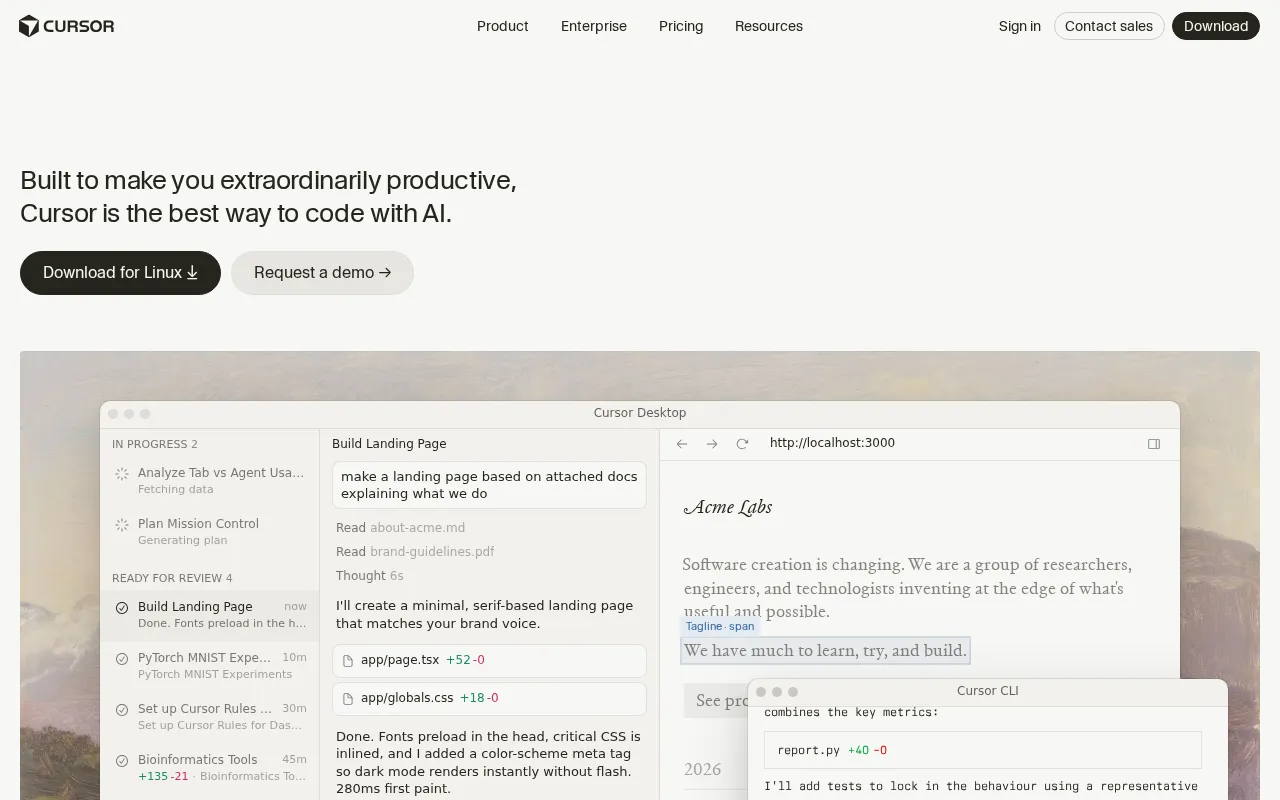
Developers use this VS Code fork for multi-file AI editing with deep codebase context. Rated 4.5/5 on G2, it ranges from free to $200/mo.
Expert Analysis of Cursor
Expert Take
Cursor works well when you need deep codebase context via the '@' symbol for multi-file edits within a familiar VS Code environment. The friction starts when users hit high-speed credit limits quickly on complex tasks, experience performance lag, or face vendor lock-in due to its proprietary release cycle. Before buying, compare vs Windsurf, which offers a different agentic workflow and credit allocation model.
· Oleh KemFounder & Lead Analyst
Oleh KemFounder & Lead AnalystCursor Vendor Lock-In Score
500K+ Line Interdependencies Mapped Before Refactoring
Codebase Context traces data flow and identifies all callers of deprecated functions before touching a file. Refactoring prep drops from 3 weeks to 5 days.
Whiteboard Schema → Migration File in Seconds
Upload a sketch of a table structure via Image to Code. Cursor generates CREATE TABLE statements, indexes, and rollback scripts without manual translation.
Custom AI Rules Enforce Enterprise Code Standards
Embed naming conventions and security checks into generation rules. Multi-File Editing applies them consistently across new functions, cutting PR security violations.
Hobby
FreeBest for: This free plan is ideal for individual developers exploring AI coding tools
- ✓Limited Agent requests
- ✓Limited Tab completions
- ✓Pro two-week trial
- ✓2,000 completions
- ✓50 slow requests
View on vendor site
MOST POPULARPro
$20/momonthlyor$192/yrsave 20%
Best for: At $20/mo, this plan suits serious individual developers needing enhanced AI assistance
- ✓Unlimited Tab completions
- ✓Extended Agent limits
- ✓Cloud Agents
- ✓Access to all frontier models (Claude Sonnet, GPT-4o, Gemini)
- ✓$20 monthly credit pool for premium model requests
View on vendor site
Pro+
$60/momonthlyor$576/yrsave 20%
Best for: Priced at $60/mo, Pro+ is for power users requiring advanced AI capabilities and higher usage limits
- ✓All Pro features
- ✓3x usage on all OpenAI, Claude, Gemini models
- ✓$60 monthly credit pool
- ✓For developers who consistently hit Pro limits
View on vendor site
Showing 3 of 6 plans. See all plans & API pricing →
Annual billing available — save up to 20%→
Prices last verified May 30, 2026
Cursor Price History
Currently TrackingComparEdge is tracking Cursor pricing. No price changes recorded. Plan structure changes detected: 5 plans added, 2 plans removed.
Plan Structure Changes
View all 7 →−
Plan removed:Business
May 30, 2026+
Plan added:Teams
May 30, 2026+
Plan added:Ultra
May 30, 2026+
Plan added:Pro+
May 30, 2026−
Plan removed:Free
May 21, 2026The Final Verdict: Is Cursor Right for You?
Quick Verdict
Highly rated ai coding software built for Developers building complex applications who need focused workflows.
4.5G2 Rating
Best for: Developers building complex applications From $20/mo
Top Pros
- Deep codebase context via '@' symbol for precise, multi-file edits
- Native VS Code fork ensures full extension compatibility and familiar UI
- Generates code, tests, and docs from natural language prompts
Watch Out For
- Can be resource-intensive, leading to slower performance on older hardware
- AI can occasionally get stuck in loops or provide suboptimal solutions
Developer Integrations
Expert analysis by Oleh KemFounder & Lead AnalystExpert verified·Updated May 30, 2026·Our methodology
Oleh KemFounder & Lead AnalystExpert verified·Updated May 30, 2026·Our methodologyPrice & Data Intelligence SyncLast verified: May 30, 2026 · CE-AI-CODE-2026W22-4401E6 · ✓ Pricing updated May 30, 2026
Up to date
Frequently Asked Questions About Cursor
Share Your Experience
Helps others find the right tool. Takes 2 minutes.
No reviews yet. Be the first to share your experience!
How Does Cursor Compare to Top Alternatives?
Independent head-to-head evaluation: pricing, capabilities, and use case alignment

★★★★★4.5G2
VS

★★★★★4.8G2
★★★★★4.5G2
VS

★★★★★4.7G2
★★★★★4.5G2
VS

★★★★★4.7G2
★★★★★4.5G2
VS

★★★★★4.6G2
★★★★★4.5G2
VS

★★★★★4.6G2
★★★★★4.5G2
VS

★★★★★4.6G2
Explore More AI Coding Tools Tools for 2026
Sources & Data Trail · Cursor
- 1.Official Website·Official vendor website
- 2.Official Pricing Page·Source of verified tiers(Checked: 2026-05-30)
- 3.G2·G2 verified user reviews · 4.5/5 · 78 reviews
- 4.Capterra·Capterra verified user reviews · 4.8/5
- 5.TrustRadius·TrustRadius verified reviews
- 6.PeerSpot·PeerSpot enterprise peer reviews