

Keystone Review: Features, Pricing & Integrations 2026
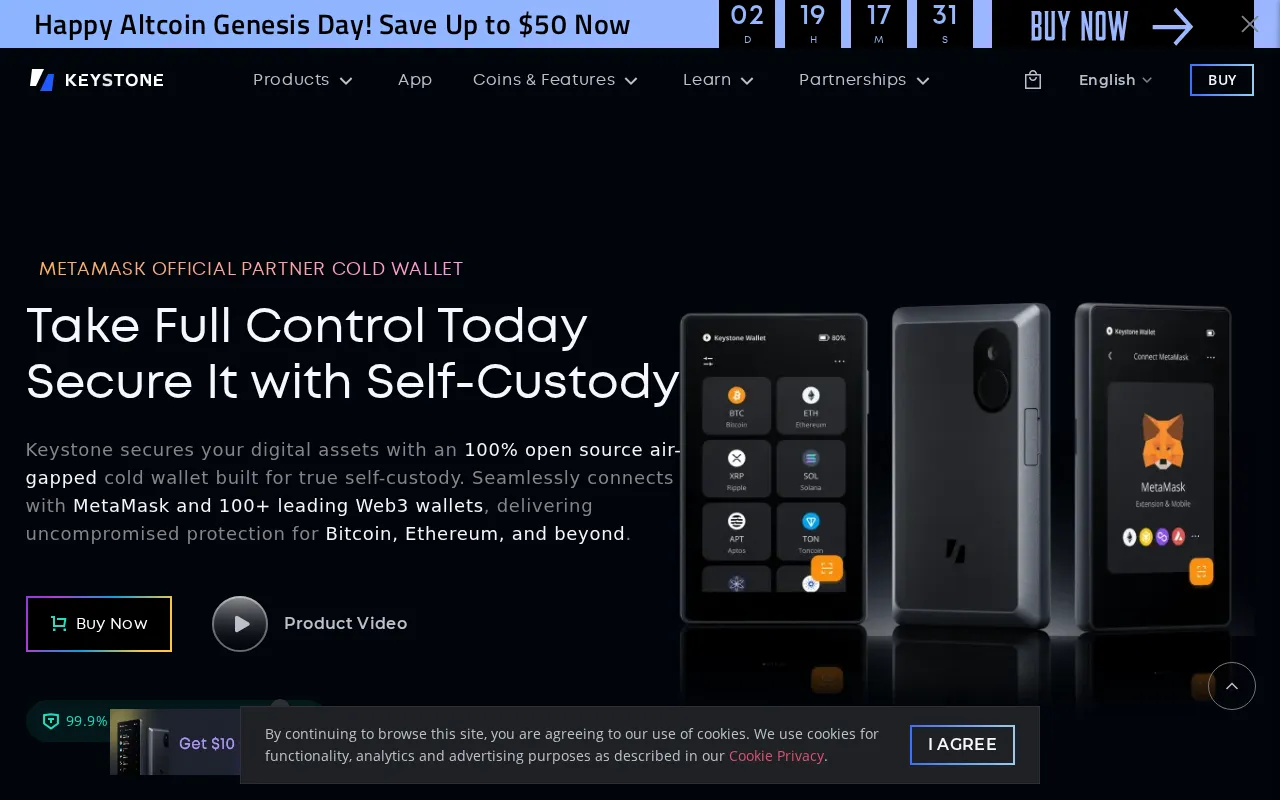
Rated 4.3/5, Keystone's 4-inch screen and QR-code air-gap offer top security from $49, though signing transactions takes more steps than USB.
Expert Analysis of Keystone
Multisig users already running MetaMask or Rabby give up nothing by choosing a QR-only signer that ships without a wallet app. Keystone is also the only record here selling a stainless-steel seed backup as a product in its own right.
 Oleh KemFounder & Lead Analyst
Air-Gapped MetaMask Signing via QR Code
Keystone's MetaMask QR signing displays swap amounts and contract addresses on the 4-inch touchscreen before each approval - no USB or Bluetooth needed.
Keystone 3 Pro
$149/one-timeBest for: Air-gapped hardware wallet
- ✓Multi-chain support
- ✓Large Full-Color Touchscreen
- ✓Fingerprint Authentication
- ✓Multi Seed Phrase Support
- ✓Three Secure Element Chips
Showing 3 of 6 plans. See all plans & API pricing →
Prices last verified July 8, 2026
Monitored Plans & Rates
Currently TrackingComparEdge is tracking Keystone pricing. No price changes recorded. Plan structure changes detected: 2 plans added, 3 plans removed.
Plan Structure Changes
The Final Verdict: Is Keystone Right for You?
Consistently rated crypto wallets software built for Security-focused HODLers who need focused workflows.
Top Pros
- True air-gap via QR codes is the most secure hardware wallet connectivity model
- Largest display (4-inch) enables clear transaction and smart contract review
- Fully open-source firmware is independently verifiable by security researchers
Watch Out For
- QR code signing workflow adds more steps than USB-connected wallets
- Less mainstream recognition than Ledger or Trezor outside advanced users
Oleh KemFounder & Lead AnalystExpert verified·Updated July 8, 2026·Our methodologyFrequently Asked Questions About Keystone
Explore More Crypto Wallets Tools for 2026


Sources & verification
| Source | What was checked | Last checked |
|---|---|---|
| Official Website | Official vendor website | — |
| Official Pricing Page | Source of verified tiers | July 8, 2026 |
| G2 | G2 verified user reviews · 4.3/5 · 10 reviews | — |
| Capterra | Capterra verified user reviews | — |
| TrustRadius | TrustRadius verified reviews | — |
Every fact on this Keystone pricing page is tied to a named source and a verification date. Freshness-sensitive figures trace to the sources above; verify against the vendor before relying on them.
Explore Keystone
Every page on Keystone in one place, you are on overview.